Awakened PoE Trade
The free, open-source Path of Exile overlay for price checking items — one hotkey turns the item under your cursor into a ready-made search on the official trade site.
Latest version 3.29.107 · MIT licensed · Windows, Linux & macOS
This is an independent information page. Awakened PoE Trade is developed by SnosMe and is not affiliated with this site, Grinding Gear Games, or Path of Exile.
What is Awakened PoE Trade?
Awakened PoE Trade is a desktop overlay application for Path of Exile whose purpose is stated plainly in the project's own description: a "Path of Exile app for price checking". Instead of alt-tabbing to the trade website, copying stats by hand and building a filter one modifier at a time, you hover an item, press a hotkey, and Awakened PoE Trade turns that item into a live trade search inside a small overlay window.
The project is open source under the MIT license and lives on GitHub as SnosMe/awakened-poe-trade, where it has gathered roughly 2.6k stars and 750+ forks. It is built with Electron and Vue, and uses libuiohook for global hotkeys.
Awakened PoE Trade never touches the game process. It does not inject code, read game memory or automate gameplay — it only reads what the game itself puts on your clipboard. That design choice is the reason the tool is considered safe by its community, and it is also the reason for some of its hard limitations (see the FAQ).
Awakened PoE Trade vs. Exiled Exchange 2
Awakened PoE Trade is for the original Path of Exile. If you play Path of Exile 2, the equivalent overlay is Exiled Exchange 2, a community project built on the same ideas and interface. Same workflow, different game — pick the one that matches the client you are running.
Awakened PoE Trade screenshots
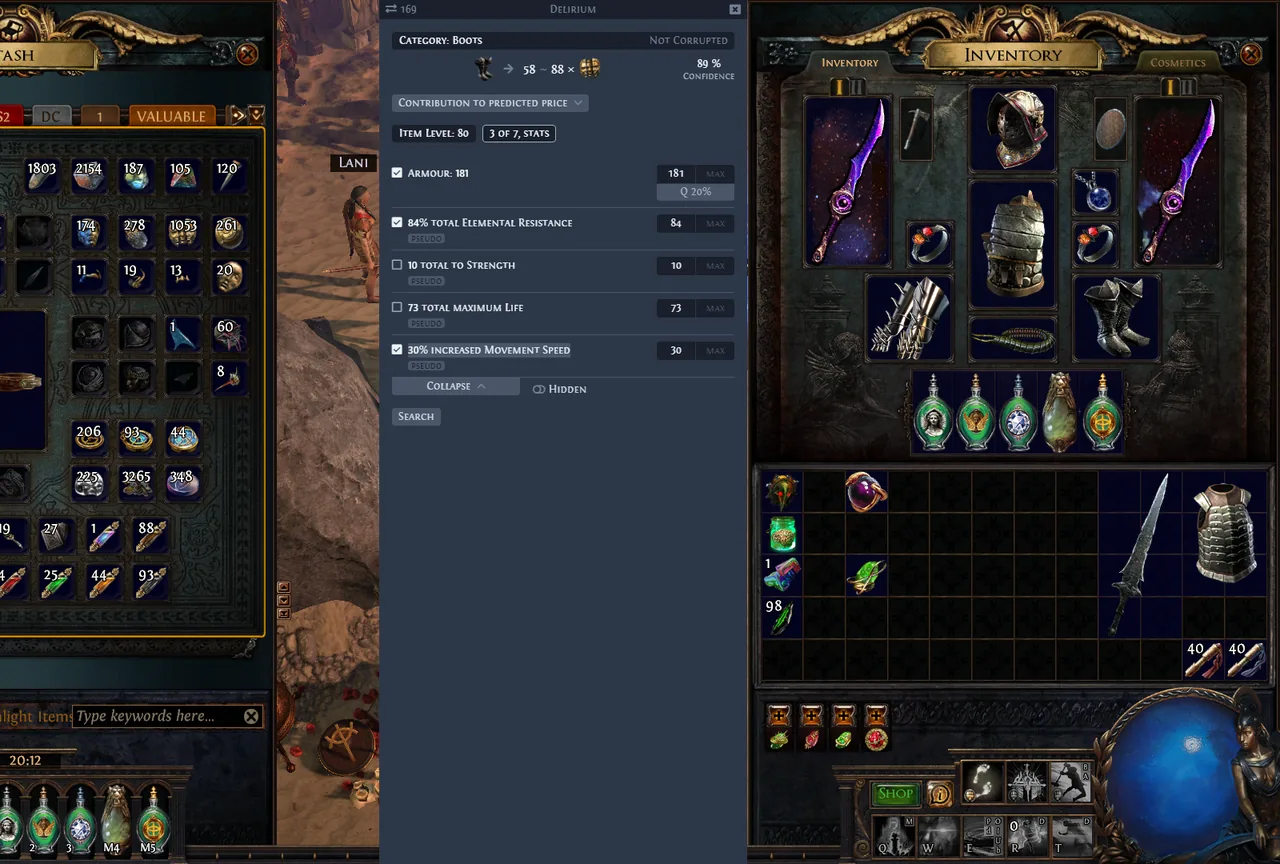
The same overlay across the four item types it is used on most. Click any screenshot to open it full size.
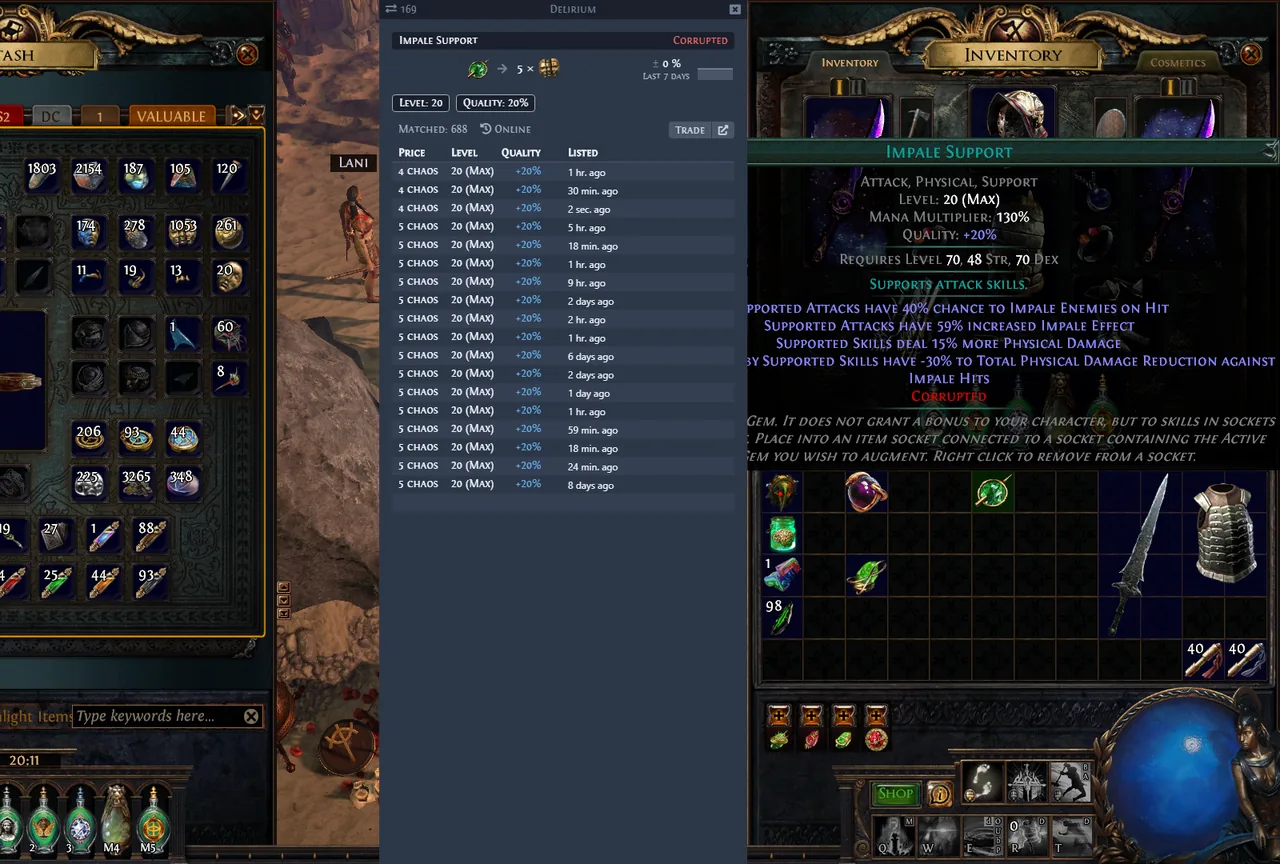
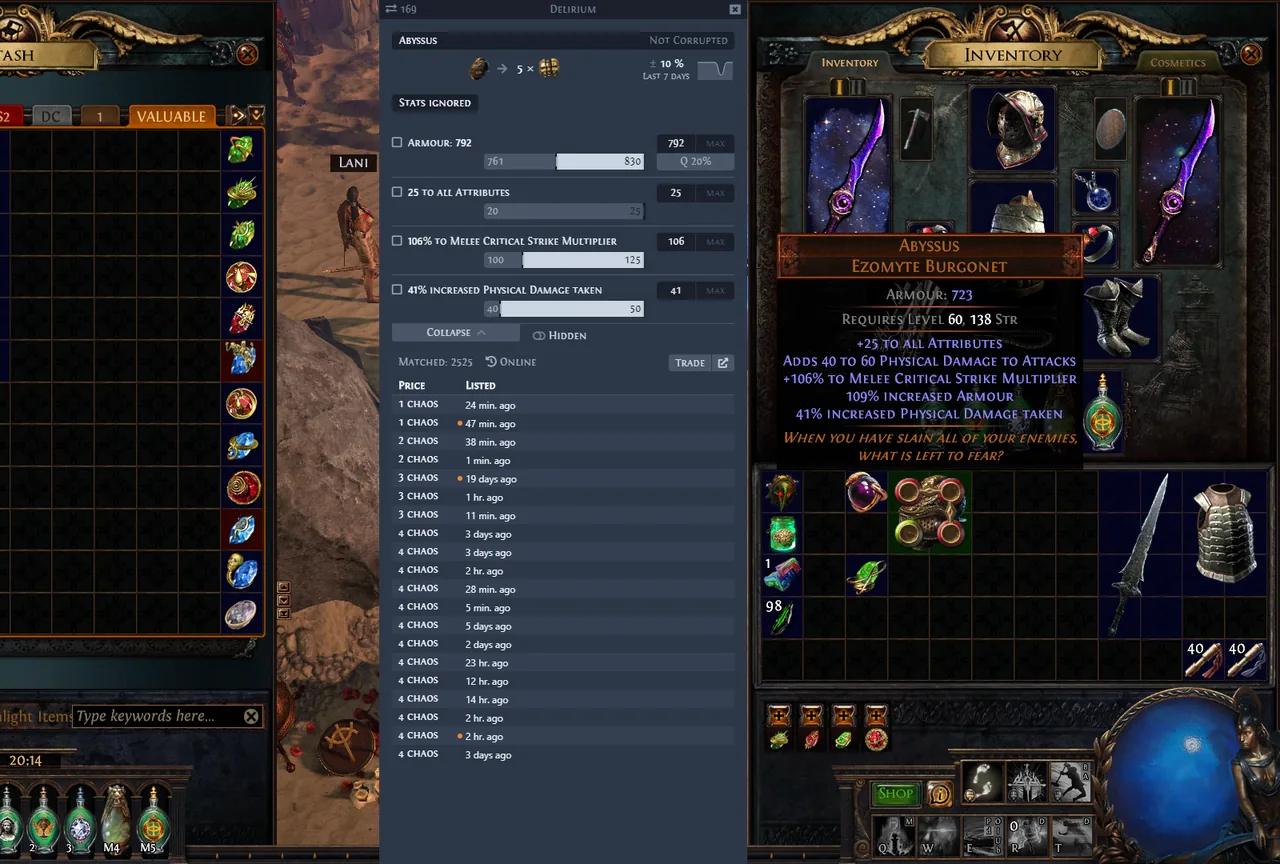
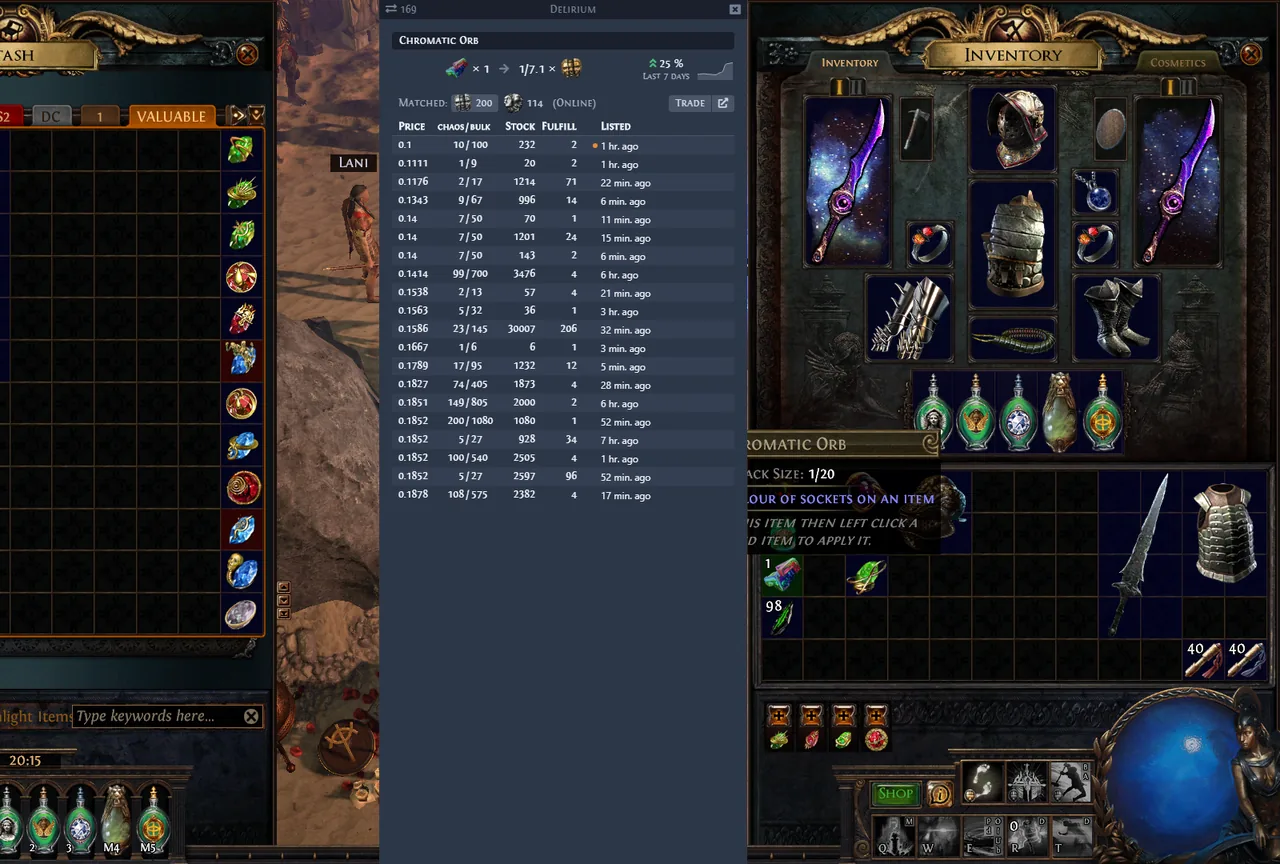
Screenshots from the Awakened PoE Trade project (MIT licensed), shown here for identification and reference.
Awakened PoE Trade Features
Instant price checking
Hover any item and press the price-check hotkey. Gems, rares, uniques and currency are all supported, with live listings pulled from the official trade site.
Smart stat filters
Modifiers become tickable filters with automatic min–max ranges, slightly relaxed so real listings actually show up. Related mods are merged into "pseudo" stats — three sources of spell damage become one combined filter.
Widget overlay
Shift + Space opens an overlay layer of widgets you can place, resize and bind to your own hotkeys — including settings, timers and the OCR widget.
Chat commands
Bind any chat console command to a key — F5 for hideout, F9 for character select. The @last token is replaced with the last whisper partner, so /invite @last just works.
Optional OCR
A small extra download adds Tesseract-based OCR for reading on-screen text the game will never copy to the clipboard. Drop the cv-ocr folder into apt-data/, restart, and bind the widget.
Quality of life
Alt + W opens the item on the Wiki, Ctrl + MouseWheel scrolls stash tabs, and seller status (AFK / offline) plus dump-tab price warnings are shown right in the results.
How Awakened PoE Trade works
The mechanism is deliberately simple. When you press Ctrl + C, Path of Exile copies the text of the item under your cursor to the clipboard. Awakened PoE Trade parses that text and presents it back to you in a readable, filterable window. Everything the app can do follows from that one fact — and so does everything it cannot do.
Hover the item
Point at any item in your inventory, stash or a vendor window.
Press the hotkey
The item text is copied and parsed; the price check window appears.
Tick the filters
Choose the stats that matter, adjust ranges, and read the live listings.
It does not price your item for you
The developer is explicit about this: the app does not magically know what your item is worth. You tick the checkboxes and pick the relevant filters yourself. Choosing stats that synergize well is knowledge that only comes from playing different build archetypes — Awakened PoE Trade just removes the typing.
Awakened PoE Trade hotkeys
These are the defaults. Some functions ship with no hotkey at all to avoid conflicts with other software on your system — you can assign those, and change any of the defaults, in the app's Settings.
| Hotkey | What it does |
|---|---|
| Ctrl + D | Price check the item under the cursor. Hold Ctrl to keep the window open; release it once the cursor is inside the window. |
| Ctrl + Alt + D | Price check in a window that does not auto-hide when you move the mouse away. |
| Alt + W | Open the hovered item on the PoE Wiki. |
| Shift + Space | Open the widget overlay — this is also where the settings (cog icon) live. |
| F5 | Chat command: go to hideout. |
| F9 | Chat command: exit to the character selection screen. |
| Ctrl + MouseWheel | Scroll through stash tabs. Disable "Mousewheel Zoom" in PoE (Options → UI) if it zooms your character. |
System requirements
Most "Awakened PoE Trade is not working" reports come down to one of the four points below. Check them first.
PoE display mode
✔ Windowed Fullscreen, Windowed
✘ Exclusive Fullscreen
Updating GeForce Experience can silently re-enable Fullscreen through its "optimized profile" — worth re-checking after driver updates.
PoE client language
✔ English, Russian
✘ Portuguese, Thai, French, German, Spanish, Korean
There are no plans to add more languages; item parsing is written against these two clients.
Administrator rights
Not required under normal circumstances. But if you run the PoE client as Administrator, OS security boundaries take effect and Awakened PoE Trade must also be started as Administrator to reach the game window.
Cloud gaming
Not compatible with "GeForce Now" or any other cloud gaming service that does not forward clipboard data — without the clipboard there is nothing for the app to read.
Download Awakened PoE Trade
The current release is 3.29.107. Builds are published for Windows, Linux and macOS; the table below mirrors the official download page, including which builds can update themselves.
| Build | Automatic updates | Startup time |
|---|---|---|
| Windows 10+ (installer) | Yes | Fast |
| Windows 10+ (portable) | No | Slower |
| Linux (AppImage) | Yes | n/a |
| macOS (dmg, universal) | No | n/a |
Official sources only
Official download page
The developer's own download page, always pointing at the latest release.
snosme.github.io/awakened-poe-trade/download
GitHub Releases
Every release with its notes and binaries, straight from the repository.
github.com/SnosMe/awakened-poe-trade/releases
⚠️ Any other mirrors are not known to the developer — downloading from them may be unsafe.
⚠️ The app is unsigned, which means you'll have to bypass security warnings on Windows and macOS to open it.
Downloaded a zip full of files with no .exe inside? You grabbed the source code — use one of the two links above instead.
Troubleshooting Awakened PoE Trade
Nothing happens when you price check, the stat list is empty, leagues fail to load, or the Linux screen goes black? The project's own common-issues checklist, in order:
- Re-read the requirements. Display mode and client language are the usual culprits.
- Check the logs — Settings → Debug tab.
- Using the Vulkan renderer? Update your GPU drivers. If it works under DirectX 11/12 but not Vulkan, old Vulkan drivers are the cause.
- Reset the config: delete %appdata%\awakened-poe-trade, backing up the apt-data folder first if you want to keep your settings.
- Close background apps in the tray and task manager, then relaunch them one at a time to find the conflict.
- Restart the app — quit it properly first, since launching a second instance does nothing.
Still stuck? Open an issue on GitHub with specifics about your setup.
Awakened PoE Trade FAQ
Related pages
Exiled Exchange 2
The Path of Exile 2 price-checking overlay — features, screenshots and official download links.
Awakened PoE Trade on GitHub
Source code, issue tracker and development docs for the project.
Last reviewed: August 2026. Version numbers and requirements are taken from the official Awakened PoE Trade download page and repository, and can change with each release.